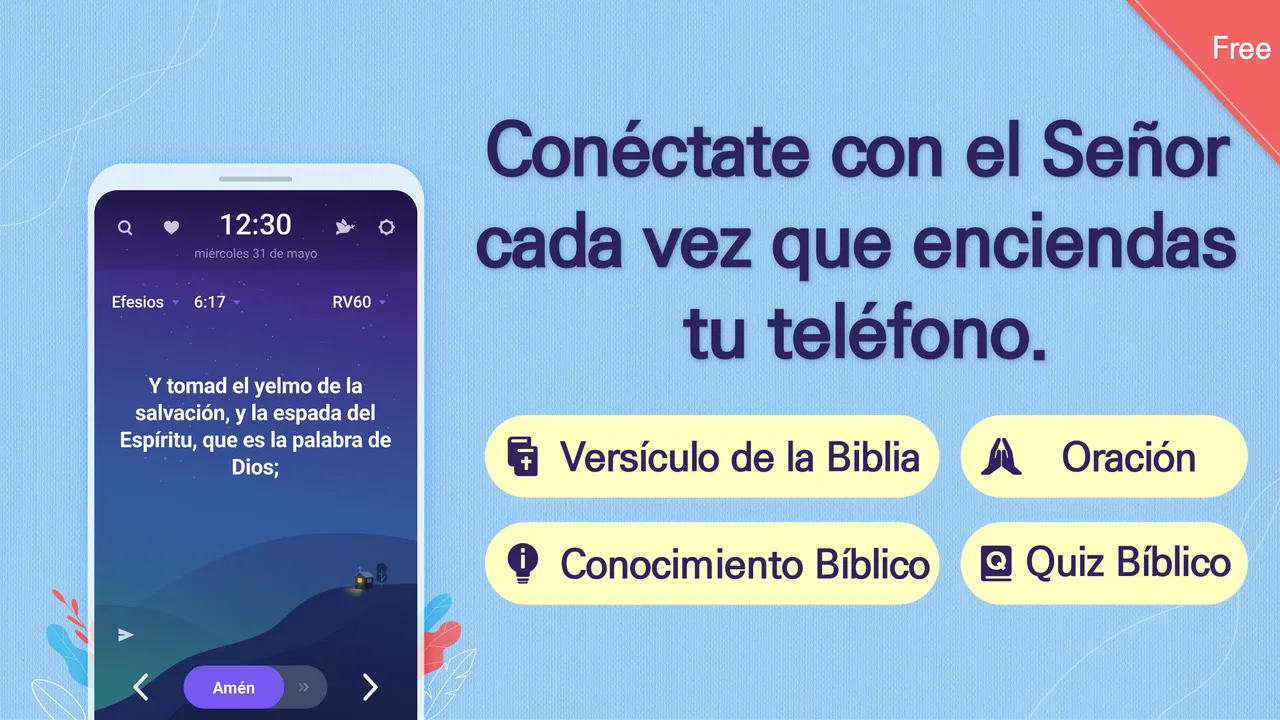
BitBiblia (Lockscreen+Alarm)
- 4.4
- Rating
- 1.00M
- Installs
- Free
- Price

 Analysis by App-foxy
I found BitBiblia (Lockscreen+Alarm) most interesting as a quiet household habit rather than as a conventional Bible app. Its idea is simple: instead of asking me to remember to open a reading app, it places Bible reading into a moment I already encounter repeatedly—the lock screen. That makes it especially relevant when several people in a home share a rhythm of mornings, bedtime, or short pauses during the day, even though each person may use a different phone and have different expectations.
In my experience, this approach works best when I treat it as a gentle prompt, not as a replacement for serious study. The app belongs to the Books & Reference category, is free to use, and comes from BitBible. It has reached over a million installs and holds a 4.4 average from around two thousand ratings, which suggests that the basic idea is easy for many people to understand and adopt. The more important question, though, is whether automatic lock-screen reading fits your own household and phone habits.
How BitBiblia fits into a shared household routine
A realistic use case is a home where one person wants a small daily Bible habit, another prefers longer reading on weekends, and a teenager only has a few seconds before leaving for school. A traditional Bible app usually expects each person to open it, choose a passage, and decide how long to stay. BitBiblia changes the starting point: the reading appears during an ordinary phone check.
You May Also Like

 Blood Strike: 2.5 Anniversary
Blood Strike’s Loadouts Turn Every Drop Into a Tactical Gamble
A close look at Blood Strike’s custom loadouts: how fast access to signature weapons reshapes its battle royale rhythm, rewards preparation, and narrows the gap between fights.

 Pandora - Music & Podcasts
Pandora’s Music Is Easy to Start, but Harder to Recover
Pandora’s strength is its low-effort path from a seed to a station. Its weak spot is how much confidence it asks you to place in connection, setup, and quiet recovery.

 8 Ball Pool
 Is Built on Rivalries, Rematches, and Routine
A close look at the rivalries, rematches, shared routines, and unanswered safety questions that turn a quick pool match into a persistent mobile community.

 Samsung Music
’s Quiet Strength Is Playing What You Already Own
Its reach comes less from spectacle than from dependable access to a personal library. That simplicity is both the app’s strongest retention engine and its ceiling.

 AccuWeather: Weather Radar
AccuWeather Review: A Quick, Clear Forecast for Everyday Decisions
For everyday plans, the best forecast is the one you can understand quickly. AccuWeather makes rain timing, radar, and local conditions easy to act on, with a few trade-offs.

 Hill Climb Racing
Why Hill Climb Racing Still Turns Crashes Into One More Run
A tiny car, a bumpy hill and one more upgrade: Hill Climb Racing keeps resurfacing because its simple chaos makes every near-miss feel personal.
More From Our News Desk



That can be useful for a shared family rhythm without requiring everyone to read at the same time. One person might see a passage while checking a notification in the kitchen, while another encounters one before bed. The app does not need to turn the activity into a group event to be valuable. Its strength is that it can create small points of contact with Scripture without demanding a scheduled meeting.
There is also a practical boundary here. “Shared use” should not be confused with one account being passed around between people. A lock screen belongs to a particular device, and the reading experience is therefore tied to whoever uses that device. If several family members want separate habits, the cleanest arrangement is for each person to install and configure the app on their own phone. That keeps personal preferences and phone routines from becoming mixed together.
I would be cautious with a household phone, a guest device, or a tablet that many people pick up. A lock-screen Bible passage may be welcome to one user and distracting or inappropriate for another. Because the app’s central feature is visible before the device is unlocked, the decision to use it should be made by the person who controls that phone, not assumed for everyone who happens to see it.
What the lock-screen approach changes
Most Bible apps are built around deliberate sessions. You open the app, browse books, search for a verse, compare translations, bookmark something, or listen to audio. BitBiblia is more passive. It puts the reading in front of me before I have made a decision to study, so it is better at encouraging consistency than at supporting research.
That difference matters when coordinating a family routine. If the goal is “everyone reads the same chapter together,” a conventional Bible app may be the better tool because people can deliberately navigate to a shared place. If the goal is “keep a short spiritual reminder present during busy days,” the lock-screen format is more natural. I see it as a doorway into reading, not the whole room.
One non-obvious advantage is that it lowers the psychological cost of starting. Opening a full app can feel like a commitment, especially when I am tired or rushing. A passage on the lock screen asks for only a moment of attention. The trade-off is that a small glance can remain just that: a glance. Anyone looking for structured study should plan to use another resource alongside it.
Setting it up without taking over someone else’s phone
The app is free and has an Everyone content rating, so it is approachable for a broad range of users. Still, an age rating is not the same as a household agreement. Before enabling a lock-screen reading experience on a shared or supervised device, I would explain what will appear, when it may be visible, and how the owner can stop using it if it becomes annoying.
The current version is 1.7.24, and it supports Android devices starting with version 7.0. That makes the app relevant to many older phones, but compatibility alone does not guarantee that every device will behave identically. Android manufacturers often handle lock screens and background activity in their own ways. If the reading does not appear as expected, I would first check the phone’s normal app and lock-screen settings rather than assuming the content itself is missing.
A useful setup habit is to test the experience while the phone is still on the table. Lock the device, wake it again, and see whether the passage is easy to read without covering important information. Then repeat the test at the time of day when the phone is normally used. A setting that feels calm in daylight may feel intrusive at night, particularly if the screen wakes unexpectedly or competes with a household bedtime routine.
I would also avoid configuring it in a hurry on another person’s phone. The person who owns the device should know how the app fits into the lock screen and how to return to the usual phone view. This is especially important for children, older relatives, or anyone who relies on a familiar unlock process. The app’s simplicity is a benefit, but simplicity should not become invisibility when more than one person uses the device.
Another practical tip is to decide what success means before installing it. If success means reading one short passage during a morning phone check, the app may fit well. If success means completing a study plan, taking notes, or comparing passages, the lock screen will probably feel too limited. Clear expectations prevent the app from being judged for a job it was never designed to do.
Coordinating without pretending everyone has the same routine
Families often use the same devices and networks but not the same schedules. A parent may check a phone before work, a student may use one between classes, and a grandparent may read in the evening. BitBiblia makes coordination possible at the level of intention, but I would not treat it as proof that everyone is seeing the same passage at the same moment.
For a shared household plan, I would keep the coordination simple: agree on a time window, mention a passage when conversation naturally comes up, and let each person read on their own device. That avoids turning a personal lock-screen prompt into a monitoring system. The app can support a family habit, but the habit still depends on honest communication rather than on assuming that every screen is synchronized.
This is where a full Bible app has a clear advantage. If a group needs a precise reading plan, shared notes, discussion prompts, or a way to confirm that everyone is on the same section, a dedicated study or group-reading solution will usually be more suitable. BitBiblia is better when coordination should remain light. It encourages a common direction without requiring everyone to follow an identical workflow.
I also like the possibility of using different levels of participation. One family member may stop to read the whole passage, while another only notices the verse and returns to it later. That flexibility is more realistic than expecting equal attention from people of different ages and schedules. The drawback is that the household may need another conversation if the family wants depth rather than simple exposure.
For a couple sharing a spiritual routine, the lock screen can act as a conversation starter. One person might mention a line seen during the day, and the other can decide whether to read further. For a parent and child, it can prompt a question without turning the phone into a test. In both cases, the app works best when the reading remains voluntary and the conversation is more important than proving that the prompt was noticed.
Age, trust, and the limits of a visible reading prompt
The Everyone rating makes BitBiblia suitable for general audiences, but families should still consider personal maturity and context. Younger users may need help understanding that a lock-screen passage is a prompt, not a complete explanation of a difficult topic. A child who asks about an unfamiliar verse may need an age-appropriate Bible or a trusted adult’s guidance rather than a quick search on the phone.
For older relatives, the main question may be readability and predictability. A lock screen can be convenient because it removes a step, but it can also be less comfortable than a larger reading view. I would let the user decide whether the text is comfortable and whether the appearance feels calm enough for everyday use. No household should assume that an automatic feature is helpful simply because it reduces taps.
Trust matters even more on shared devices. A person may be comfortable seeing Bible content on a personal phone but not on a work phone, a loaned device, or a family tablet used by guests. The visible nature of the feature means privacy is not only about account details; it is also about who can see the screen when it lights up. That is a reason to make the choice openly, especially in mixed-belief households.
I would skip the app for someone who dislikes any change to the lock screen, needs a completely distraction-free device, or wants every reading choice to be intentional. It may also be a poor match for a user who expects deep annotation, audio study, cross-references, or a carefully organized library. Those needs point toward a fuller Bible application or a printed Bible, depending on the person’s preferred style.
On the other hand, it is a strong candidate for someone who repeatedly says, “I want to read more, but I forget.” The app’s value comes from placing the reminder inside an existing behavior. That is a meaningful distinction from simply downloading another app and hoping motivation will appear later.
Everyday friction I noticed in the concept
The lock screen is also where interruptions accumulate. Notifications, calls, weather information, security prompts, and battery warnings all compete for attention. BitBiblia’s reading can be easy to overlook when the phone is busy, and some users may find the added visual element less peaceful than expected. I would judge it after several ordinary days, not after a single enthusiastic setup.
There is a second trade-off between convenience and depth. Automatic exposure can help establish a habit, but it may encourage scanning rather than reading. My practical solution would be to use the lock-screen passage as a trigger: when a verse catches my attention, I would later open a conventional Bible app or a physical Bible for context. That two-step workflow gives BitBiblia a clear role without asking it to provide every study tool.
Another useful insight is that the app should be placed within a routine, not treated as a replacement for one. A family could connect the prompt with breakfast conversation, a quiet commute, or a short evening pause. Without that surrounding habit, the lock screen may become background decoration. With it, the same small passage can lead to reflection or discussion.
Because the app is free, the barrier to trying this workflow is low. That does not mean every household should install it on every device. A better approach is to begin with the phone of the person who actually wants the habit, observe whether the lock-screen format helps, and then invite others only if it feels useful. This avoids turning a personal aid into a household obligation.
Who should choose it over a usual Bible app?
I would recommend BitBiblia to a reader who wants frequent, low-effort contact with Bible passages and who is comfortable with content appearing as part of the lock-screen experience. It is particularly suitable for busy adults, people rebuilding a reading habit, and households that want a shared theme without enforcing a shared schedule.
I would choose a traditional Bible app instead for deliberate study. Search, navigation, notes, reading plans, and longer sessions are easier when the app is designed as a complete reading environment. A physical Bible may be preferable for someone who wants no notifications, no screen interruptions, and a clear separation between reading and phone use.
The developer, BitBible, has positioned this app around accessibility rather than complexity. Its appeal is not a large collection of tools; it is the decision to meet the reader at the lock screen. That narrow focus is both its identity and its main limitation. If that moment is where a user is most likely to pause, the design feels smart. If the user wants a full study desk, it feels incomplete.
It is also worth remembering that an app with a broad audience does not automatically fit every family arrangement. A household with different beliefs, shared phones, or strict device routines should discuss the feature first. The app can support trust when everyone understands why it is there, but it cannot create agreement by itself.
My household verdict
After looking at the app through a shared-device and family-routine lens, I see BitBiblia as a focused habit tool with a clear purpose. It makes Bible reading easier to notice, especially for people who do not naturally open a reference app every day. Its free availability, general age rating, and support for Android 7.0 or later make it easy to consider on a wide range of personal phones.
My recommendation is strongest for individual installation followed by optional household coordination. Let each person control their own device, decide whether the lock-screen prompt feels welcome, and use conversation—not pressure—to connect separate routines. That approach respects age, trust, privacy, and different schedules while still taking advantage of the app’s central idea.
The best way to use BitBiblia is as a small doorway into reading, not as a complete replacement for study. If you want a gentle reminder that meets you during an ordinary phone check, I think it is worth trying. If you need synchronized group reading, detailed research tools, or a completely unchanged lock screen, another option will serve you better. For the right user, though, its restraint is exactly what makes the habit feel manageable.
FAQs for BitBiblia (Lockscreen+Alarm)
01What is BitBiblia (Lockscreen+Alarm) and how does it work?
BitBiblia (Lockscreen+Alarm) is an app designed to integrate biblical verses into your daily routine by displaying them on your phone's lockscreen. It also includes an alarm feature to start your day with a motivational scripture. Users can customize verse selection and set alarms for specific times.
02Is BitBiblia (Lockscreen+Alarm) available for both Android and iOS devices?
Yes, BitBiblia (Lockscreen+Alarm) is available for download on both Android and iOS platforms. Users can find the app in the Google Play Store and the Apple App Store, ensuring compatibility with a wide range of devices.
03Does BitBiblia (Lockscreen+Alarm) require an internet connection to function?
While an initial internet connection is needed to download and set up the app, BitBiblia (Lockscreen+Alarm) can operate offline after initial setup. This means daily verses and alarms can still function without continuous internet access.
04Can I customize the verses displayed and the alarm settings in BitBiblia?
Absolutely. BitBiblia allows users to customize the verses that appear on the lockscreen by selecting from different categories or themes. The alarm settings can also be personalized, including the time, sound, and frequency, to suit individual preferences.
05Is there a cost associated with downloading or using BitBiblia (Lockscreen+Alarm)?
BitBiblia offers a free version with basic features. However, there might be in-app purchases or a premium version available, providing additional features and an ad-free experience. It's recommended to check the app store for the most up-to-date pricing details.
Pros
- Intuitive interface for easy navigation.
- Customizable lockscreen themes available.
- Offline access to Bible verses.
- Alarm feature with Bible verse notifications.
- Supports multiple languages for wider reach.
Cons
- Limited font size options for readability.
- Some features require in-app purchases.
- Occasional ads interrupt user experience.
- No widget support for quick access.
- Requires frequent updates for bug fixes.

BitBiblia (Lockscreen+Alarm)
Gallery